 DigitByte Software for Windows, Mac, iPhone, iPad, iPod – free download
tags: aiff to wav | asf to wav | aac to wav | au to wav | avi to wav | dat to wav | divx to wav | dv to wav | mka to wav | mkv to wav | More…
AAC Definition: AAC stands for MPEG-2 Advanced Audio Coding or MPEG-4 Advanced Audio Coding, it is eitheran MPEG-2 or MPEG-4-based audio format.
1. To convert aac to wav (wave): please install the aac decoder based on DirectShow on your Windows system. Run “regsvr32 CoreAAC.ax”to register the codec.
2. Run Audio/Video to Wav Converter, click the Open Media File button, select an aac file for aac to wav (wave).
3. To convert the whole aac file to wav, set the Output File name if necessary, then click the Convert button.
To convert a part of the aac file, drag the slide bar directly, or click the Play button to preview the AAC file, then set the Start Time and the End Time. Finally click the Convert button to convert aac to wav.
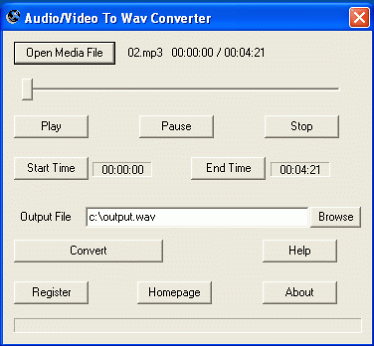
The converter can be used as AAC converter, which can split aac file, extract a part of wav (wave) from acc format. The converter can be used as aac splitter, aac cutter, aac trimmer. AAC splitter can cut aac file, trim aac, slice aac, divide aac. The editor maker creator can also convert aac to wav, convert aac to wave.
[download id=”7″ format=”2″]The following Super Sound Joiner can join several aac files to wav, merge aac, combine aac. It can be used as aac joiner, aac merger, aac combiner. First it is necessary to install Core AAC codec filter decoder based on Direcshow (GNU). The output file format is wav or wave also.

The following Audio Mixer can mix several aac files or other media format to wav. Please install AAC codec first.

You can set the parameters such as durations, audio volume, start time, speed. The mixer can mix or convert aac to wav.
[download id=”14″ format=”2″]