DigitByte Software for Windows, Mac, iPhone, iPad, iPod – free download
How to download free audio recording software
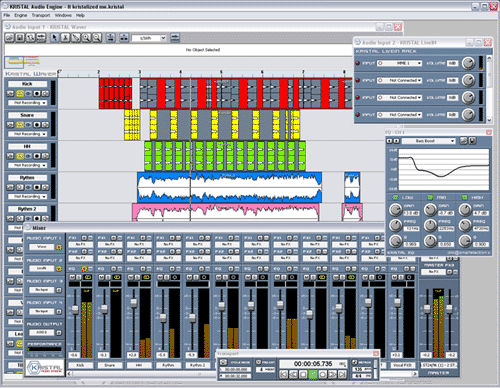
Here I’d like to recommend Kristal Audio Engine for recording music for free. It has many advantages, for instance, strong performance and full features, what’s more, it’s free for personnel use.
Please follow the instructions below:
Step1:
Visit www.kreatives.org/kristal/ and click Download link.
Step2:
Go to “Download KRISTAL” link ( you will be guided to www.simtel.net)
Step3:
Act quickly once you finish above step. “The download site for Kristal Audio Engine is currently being contacted” will appear while the simtel.net page is loading. You need to click “Kristal Audio Engine” in blue quickly. Otherwise, you are very likely not going to the proper page for downloading the program. If so, pls repeat step above.
Step4:
You will see a page of download for Kristal Audio Engine. Click “Download Now”.
Step5:
A box will appear, and prompt you to download the file. Click Save.
Step6:
Follow the prompts for setup and install the software.
Step7:
Enjoy yourself with the free audio recording software.