DigitByte Software for Windows, Mac, iPhone, iPad, iPod – free download
Sometimes, users need to convert PDF files to RTF or Doc format, RTF or Doc is the file format of Microsoft Windows system, PDF Sharper is the one maybe you are looking for, it is totally free to use.
In this article, I have introduced several methods of splitting PDF files by using some apps including PDFsam, VeryPDF, PDFzen, and PDFsplit!
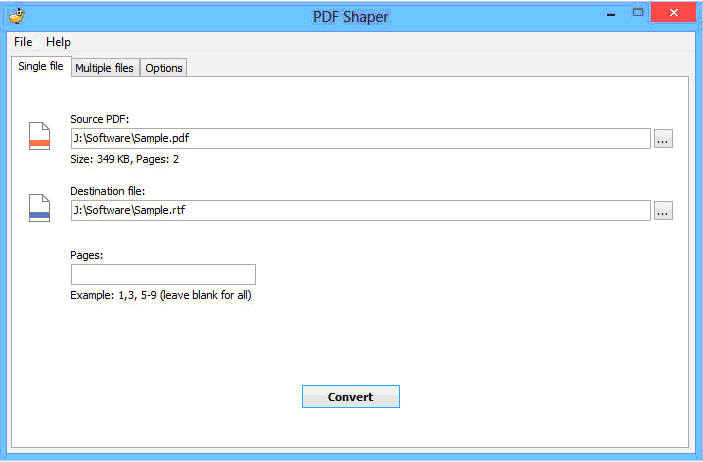
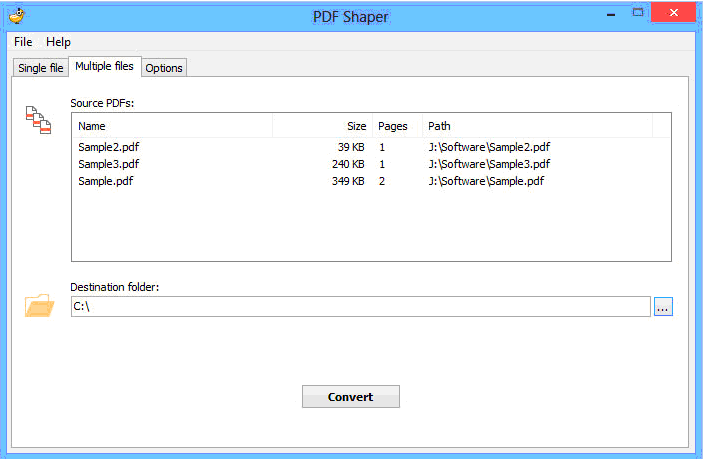
You can use PDF Shaper to convert PDF to RTF or Doc file easily and even in batch mode. It has the easy-to-use interface to let you master it in seconds and can be used in Windows NT/2000/XP/Vista/7/8 (32 and 64 bit)
Main features of PDF Shaper v1.4
- convert PDF to Word documents (*.rtf, *.doc) one by one or in batch way;
- extract PDF’s text, tables, and images;
- convert tables and tabbed columns;
- recognizes several types of font encoding.
- Also support password-protected PDFs, Unicode text, and Command Line operations.
- Extract specified PDF elements including text, tables, images
The installation process of PDF Shaper is very simple and quick, start the main program, you do not even need reading help group files and with its interface, you should know how to use. The main interface is divided into three TAB tags, you can achieve a single PDF file or batch PDF conversion, or let a certain page in the PDF to be converted.