DigitByte Software for Windows, Mac, iPhone, iPad, iPod – free download
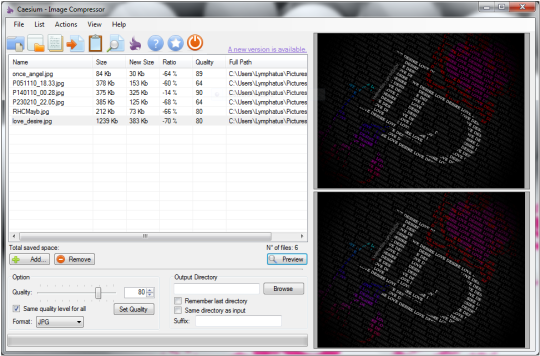
Sometimes, users need to compress or optimize their picture’s size, easy for uploading, residing or caching quickly. you can use some tools like Photoshop to do it, but it is very difficult if you have a lots of photos needed to be edited, how to make this job easier? now, I will introduce you a tiny tool named Caesium.

It lets people compress their images easily and quickly, with it, users can save a lot of space and upload your pictures fat onto the web and avoid prolonged loading times. The software allows users to view instantly the compression results, helping users to decide how much optimization you need. This images compression tool also can set different compression levels to each image, saving a lot of time, ensuring great results.
Main features of Caesium:
- make your digital images easier to share or store.
- quickly compress JPEG, PNG, and BMP images to the sizes that you want and without lossing image quality.
- Preview and batch functions of editing your pictures
- you can select a different compression level to each image and remain its quality.
- Hige compression – reduces the size of your images up to 90%, preserving the original visual quality.
- The image compressor is user-friendly with a simple and clear interface.