DigitByte Software for Windows, Mac, iPhone, iPad, iPod – free download
First of all, open up your iPhone, according to the following order to find the model:
Settings > General > About

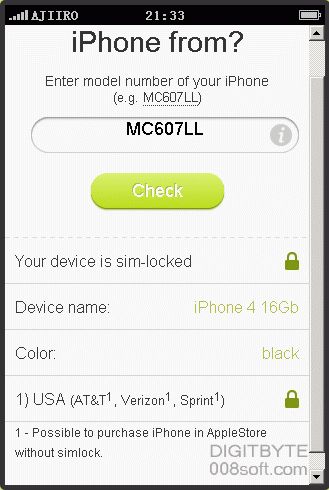
2nd, Go this site “where is iPhone from” (http://iphonefrom.com/)

3rd, Enter model number of you iPhone (e.g. MC607LL)
4th, Click “Check” button
at last, you will get the information about where is your iPhone 5 came from