DigitByte Software for Windows, Mac, iPhone, iPad, iPod – free download
One word: Smart Windows App Blocker is a very simple tool to prevent or block Windows application software running
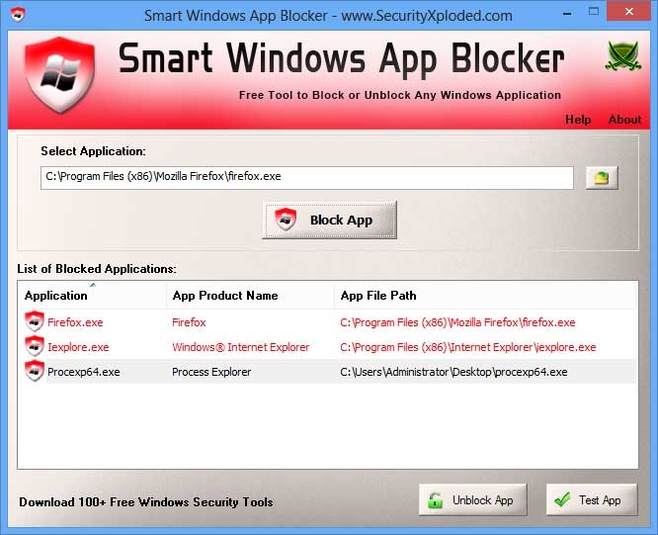
Do you want to prevent the use of some of the programs that have installed on your PC? With Windows Smart App Blocker, you can do it. Just choose the executable file of the software that you want to block, and then press “Block App“.
In the interface of Windows Smart App Blocker, you can view the entire list of blocked programs and use the button “Test App” to verify the actual state.
To restore and access to an app, select it and click on “Unblock App”.
Note: To let the The program to work, it requires your administrator rights.
Features:
- Block the use of specific app
- Intuitive and easy to use