 DigitByte Software for Windows, Mac, iPhone, iPad, iPod – free download
How to convert audio to ogg online easy and fast?
If you have some audio files, each file is not very large, you do not want to download anything, However, you want to convert audio to ogg format online, this was previously impossible task, but now, you can convert your audio file to ogg format with a online converter (online-convert.com), it is very convenient.
OGG Definition: Ogg is related multimedia and signal processing projects that are open source and royalty free.
Here are the steps of online ogg converter:
1. copy and paste online-convert.com into your browser address bar to access the site
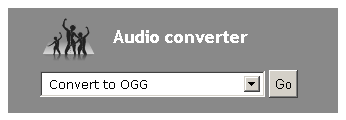
On the home page, in the “audio converter” section, click the drop-down menu, select “Convert to ogg“, click “Go” button
2. At this time, you came to the “Online audio converter to ogg” page, click on “Choose File”, select an audio format file from your local hard disk, it is you want to convert file formats, or enter an audio address, for example, an audio address on YouTube, in the “Option settings” option, you can set various parameters, including audio bitrate, audio frequency, audio channels and trim audio. in “Trim audio” column, you can set the audio start time and end time, so that you can only convert your the favorite part of your audio.

3. Well, after complete settings, click “Convert file” button to immediately display the file being processed, when the upload task is complete, another window will automatically perform the conversion task.

4. After conversion, a downloading dialog box pops up automatically (I use Google chrome browser), click ” download” to download the file to your local hard disk, if your browser does not pop-up downloading dialog box, you can click on the direct download link.

Done! the above steps are the online conversion process about audio to ogg .
If you like this article, please Favorite it, thank you for your support
You may also be interested in the following:
Audio Video to Wav Converter includes a powerful OGG converter that can convert OGG file to Wav(E) with ease.

1. To convert ogg to Wav: please install the ogg decoder based on DirectShow on your Windows system.
2. Run Audio/Video to Wav Converter, click the Open Media File button, select an ogg file for ogg to Wav (wave).
3. To convert the whole ogg file to Wav, set the Output File name if necessary, then click the Convert button.
To convert a part of the ogg file, drag the slide bar directly, or click the Play button to preview the OGG file, then set the Start Time and the End Time. Finally, click the Convert button to convert ogg to Wav.