 DigitByte Software for Windows, Mac, iPhone, iPad, iPod – free download
PDF Password Remover is a free tool that can remove PDF document restrictions
Many people have already known the PDF documents downloaded from Internet only can be viewed, and can’t be printed directly, and users also can not edit the PDF file, even just for copy and paste some words in it, why? this is the author has already added the protection limits, so, it is a little trouble if we want to copy or modify the PDF’s contents.
This is why you come here, I will introduce a fairly simple and free tool, you can easily remove the various restrictions of PDF documents.
PDF Password Remover is a free tool that can remove PDF document restrictions, the name of the software, however, it is too misleading users, in fact, In the case if you do not know the PDF’s password, this software does not remove the restrictions and password of PDF file (in other words, it is not a PDF password cracking software), but anyway, it is able to help us. For example, you want to copy PDF text, converting PDF to Word, or if you want to print out pdf file.
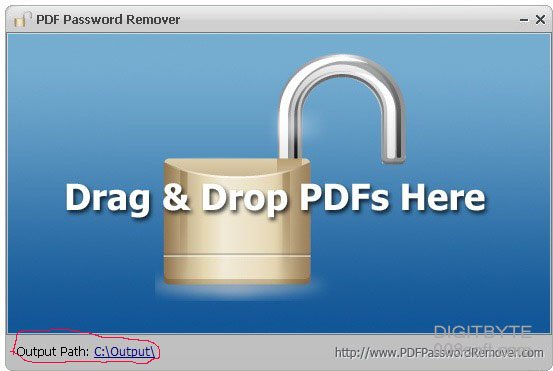
As you have already seen its interface on above figure, the use of this tool is quite intuitive and simple, you only need to drag and drop a PDF document into the program, it will automatically remove PDF protection or various restrictions with an amazing speed, basically snap! The default output directory can be modified in the lower-left corner of the software interface, the initial is “C:Output”. Now check the processed PDF via PDF Password Remover, you will find that PDF files can be edited and printed!
Download PDF Password Remover to remove various restrictions of PDF
DIGITBYTE reviews
Although the function of this tool is not so powerful, but its advantage is completely free of charge, and the interface is super simple, just drag and drop the PDF document it will be able to remove the restrictions (if you drag and drop multiple PDF documents, it also can batch process), so, it is a good tool you can consider if you want to remove some protection of your pdf files.
If you love this tutorial, do not forget push it to your social sites or recommend it to your friends.