 DigitByte Software for Windows, Mac, iPhone, iPad, iPod – free download
Apple recently released iOS 6.0.1 operating system, but led to some problems, so Apple’s latest release of ISO UPDATER can fix some problems, this content is to teach you how to upgrade directly on the iPhone.
The details of iOS 6.0.1 upgrade include:
- Fixed cause the iPhone 5 can not install software updates wirelessly
- Fixed may cause display vertical and horizontal keyboard overlap
- Fix the cause can not turn off the camera flash
- Enhance the iPhone 5 and iPod touch (5th generation) to connect to WPA2 Wi-Fi network encryption reliability
- Solve the iPhone is unable to use the cellular mobile network under certain circumstances may lead to problems
- ITunes Match is integrated cellular mobile data switch
- Fixed sometimes allow Passbook certificate from the lock screen to access detailed information “Passcode Lock”
- Correction will affect the Exchange Conferencing
Here prompted the following precautions:
- prior to the upgrade to ensure that your machine does not jailbreak, if your iPhone is jailbreak version, the iOS 6.0.1 firmware online upgrade will fail, and you need to restore to the official firmware, then upgrade, or you can also use iTunes DFU restore firmware. If you do not jailbreak, please see the next step.
- prior to the upgrade, in order to avoid unnecessary risks, you use iTunes to back up your data to prevent the loss of important data, after the upgrade, you can restore the data.
- Finally, make sure you have a normal wireless network.
Following iOS 6.0.1 firmware online upgrade tutorial:
- Please check the adequacy of your cell phone battery, if the level is low, plug in the power. Go to “Settings”
- Enter “universal” setting.
- Enter “software update”
You can enter the “learn more” to learn the details of this update, also you can directly click “download and install”
Special note of iPhone5 models: using iOS 6.0.1 firmware just to fix the unable to update firmware problem with wireless OTA and the iPhone5 operations have been particularly, although the phone prompts to connect to iTunes on your computer to update the firmware, actually does not need. Look at the following operations.
Click “learn more”
Click “download and install”
In this case, you need to install a ISO UPDATER on your desktop of your iPhone.
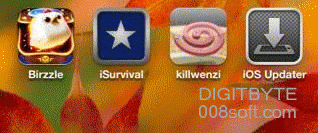
IOS Updater will be automatically installed and give you some information,
If there is no prompt, Run IOS Updater directly, go to the following steps:
Enter the license terms, click “agree”
If you have already plugged in, it will go directly to the download process, otherwise a battery warning may indicate.
After downloading and restarting the device will be automatically validated, then you can check iOS 6.0.1 firmware version in the “Settings”->”General”->”About”