 DigitByte Software for Windows, Mac, iPhone, iPad, iPod – free download
As you know, Sn0wbreeze has been updated to 2.9.7 version, this update give us some new feature, that is it can jailbreak you iphone with iOS 6.0 or 6.0.1.
Here is our complete guide about how to teach you to jailbreak iOS 6.0.1 and iOS 6 using Sn0wbreeze on Windows.
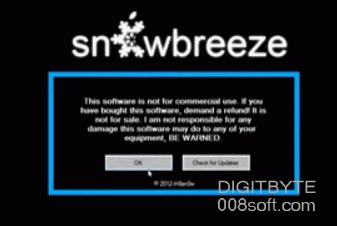
We remind you that this is a jailbreak guide, except for users of iPhone 3GS. That means that you will have to connect your iPhone device with a computer and enjoy Sn0wbreeze 2.9.7 new features.
How to Jailbreak iOS 6.0 and iOS 6.0.1 with Sn0wbreeze, the followin is the step-by-step:
1. Download Sn0wbreeze 2.9.7 to at this URL from its offical site
2. Unzip the file and run sn0wbreeze-v2.9.7.exe as Administrator.
3. Click OK > Next and select the fimware 6.0 or iOS 6.0.1 for your device. If you do not have it on your computer, Sn0wbreeze offers to download.
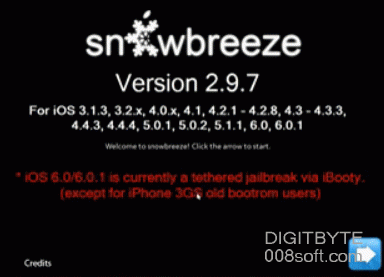
4. Sn0wbreeze recognizes the firmware associated with your device and you can confirm it, then clike the Next icon.
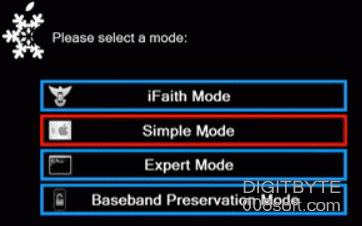
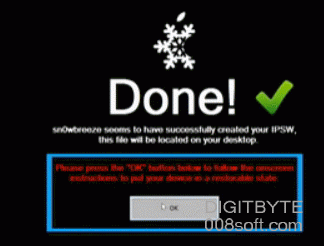
If you want to keep your BaseBand for an unlocked, click BaseBand Preservation Mode. If you prefer to make a classic Jailbreak, use Simple Mode. Your custom IPSW file will be created. Wait for the process that can take some minutes.

5. Click OK, place your iDevice into DFU mode, and then click “Start” to turn PwnedDFU mode by using iREB. The iPhone screen should remain black.
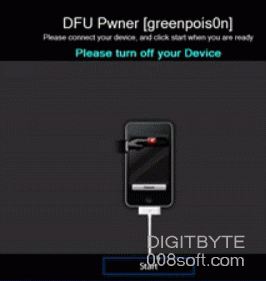
6. Now, open iTunes should detect your device in recovery mode. Select your device from the list of available devices, hold down the Shift key on your keyboard and clicking the Restore option. Select the custom firmware created with sn0wbreeze and confirm the restoration.
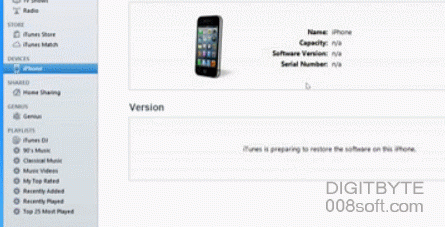
7. You should notice a snowflake on your screen during the restoration. Just be patience and wait a few minutes
8. Once the restoration is complete, configure your device. Springboard is on the Cydia icon that is currently not usable. As this is a Tethered Jailbreak, you must perform a tethered boot.
9. Put your device in DFU mode.
10. iBooty utility must be on your computer, use it by clicking on Start to restart your iDevice.
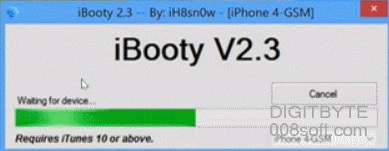
11. Unlock your device, Cydia is now usable.
Tips: We remind you that this jailbreak is semi-untethered, meaning that you can effector a reboot without using iBooty, but applications such as Cydia or Safari does not fonctionnerons. You must perform a Tethered Boot with iBooty.