 DigitByte Software for Windows, Mac, iPhone, iPad, iPod – free download
If you are looking for a software in order to increase your PC performance, yes, here is the right place. We have picked a wonderful tool which can improve your PC performance with one click, its name is Boost
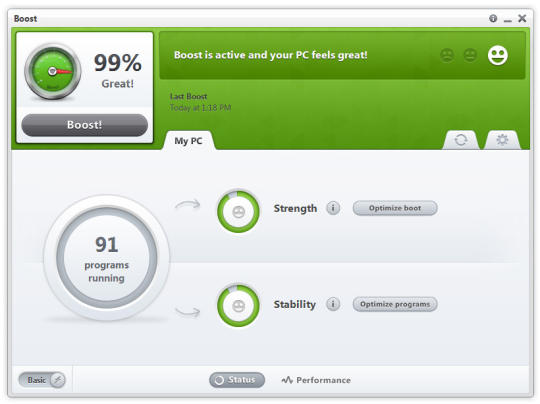
It can maintain performance and stability by preventing unnecessary programs from consuming system resources and affecting critical programs. When you start to feel your PC become sluggish, don’t reboot, simply give your PC an instantaneous Boost with just one click.
The app helps to restore the pep in your PC by removing crapware, bloatware, trialware, bundleware, and adware. Such “crapware” (and yes that’s an industry term) is known to cause system crashes, boot delays and just give your PC an overall sluggish feel. There are many forms of such extraneous software such as unneeded toolbars, adware, tracking programs, and other “free promotional software” to name a few. Think of crapware as being, just a whole mess of clutter that is causing your PC to feel bogged down.
Boost can help shave seconds, or even minutes, off your PC boot time. By automatically removing unnecessary start-up programs as well as empowering you to make informed decisions of which programs are truly needed, Boost cuts down your boot time and saves you precious system resources. All with the click of a button.
It also helps you gain back control of this clutter by automatically freeing up the number of unnecessary files on your hard disk, and allowing your computer run at full potential again.
The following is the sample report after all boosting operations:

If you are interesting in this great program, do not hesitate to download and get a trial, it is free!
[download id=”63″ format=”3″]