 DigitByte Software for Windows, Mac, iPhone, iPad, iPod – free download
Here we’d like to introduce you the two software, one is pybingwallpaper, another is Wallpager downloader, both can help you download wallpager from Bing.com (Microsoft search engine site) automatically.
No.1 – pybingwallpaper
with it, you can download the wallpaper offered by Bing.com and set it current wallpaper background.
For Linux users, you need an application named gnome-session-properties, then then add a startup program with:
Name: pybingwallpaper
Command: /path/to/pybingwallpaper/src/main.py
Comment: download and update wallpaper!
For windows users, you can download the setup exe file at dropbox, then a shortcut will be created in your startup folder.
For more information, please go to pybingwallpaper
No.2 – Wallpaper Downloader
This is a freeware that allows you to download all Bing wallpaper images to your computer and change your desktop background with these images on a regular basis automatically. In the first-time run, it will download the past Bing wallpaper images. From then on, it will regularly check for new images and download them automatically.
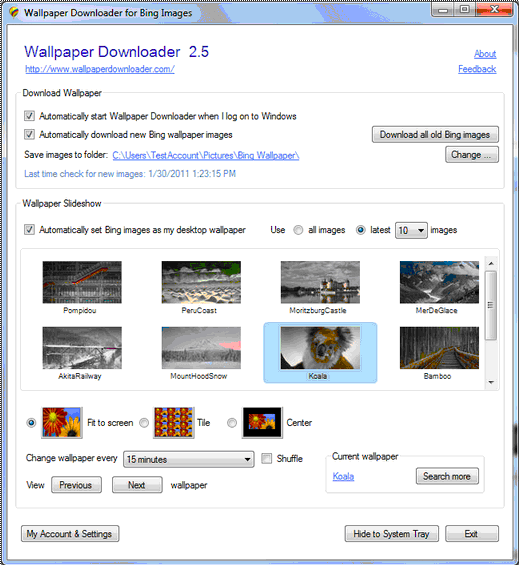
By the way, I love this function: Wallpaper Downloader can change my computer desktop background with the downloaded wallpapers in slideshow mode.
[download id=”65″ format=”3″]