 DigitByte Software for Windows, Mac, iPhone, iPad, iPod – free download
In this guide, we will tell you how to use a Flip Video Converter to convert flip video from camcorder to others formats wmv, avi, xvid, divx, mov, 3gp, 3g2, rm ,rmvb, dv, mkv, m4v, mpg, mpeg-2, mpeg-4, mp4, h.264, flv, swf etc on Windows 7, vista, xp
Summary in below screenshot
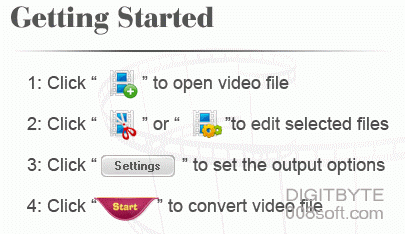
Step-by-step to teach you how to convert flip video
Firstly, please connect your camcorder to you computer in order to upload your flip video to you PC
1. Download and Install iOrgsoft Flip Video Converter to your computer
note: You will get a download manager from Regnow, then use it to download this app.

2. import your flip video

3. fix your output settings
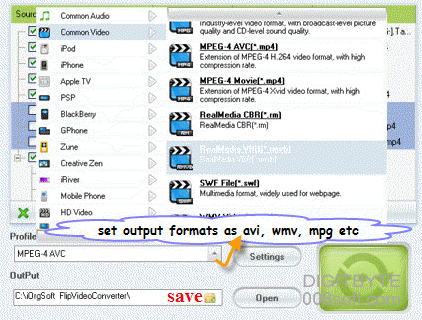
4. Click “Convert” icon to convert your flip video
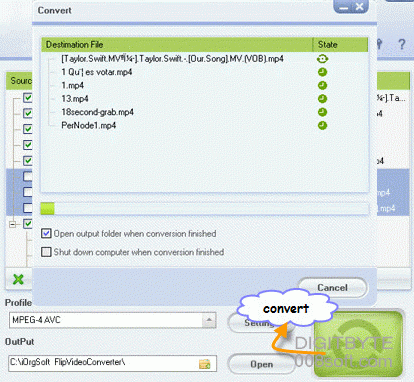
Done!, if you like to try this app, please follow below URL to download and get a wonderful trial