DigitByte Software for Windows, Mac, iPhone, iPad, iPod – free download
Video2Webcam allows you to share your videos in the video chat, even if you do not have a camera to be connected with others. If you have installed a camera on your computer, you can freely switch between real and virtual cameras. Video2Webcam installation is very simple.
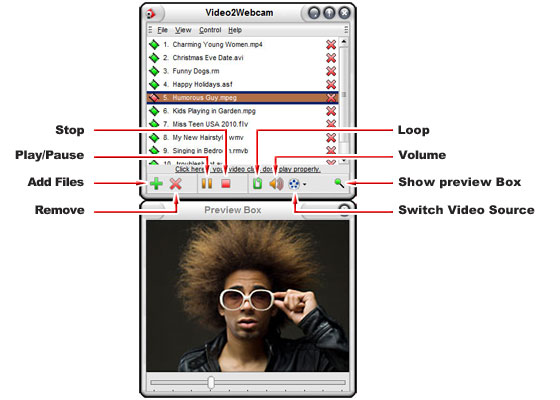
[review]Video2Webcam interface is simple and easy to operate, at a glance probably know how to use. A small dialog box displays the folder you selected video clips, and lets you play, pause, or the loop, another preview window lets you see the status of the video file to play (for example: the playback position). In addition, you can adjust the resolution and speed through the camera.
After testing, the software works well – switch between real & virtual Web cams during video chat
If you want to be able to play video files in your video chat, then Video2Webcam is a good choice.