 DigitByte Software for Windows, Mac, iPhone, iPad, iPod – free download
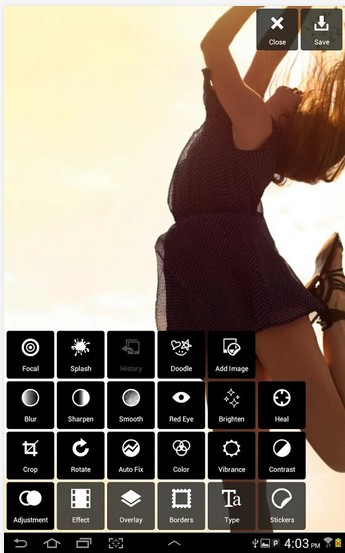
with a powerful photo editor “Pixlr Express“, you can quickly crop, resize, and fix any picture, remove red-eye, and whiten teeth, it also let you choose from the huge variety of effects, overlays, and borders to personalize your images.
Features:
• Easily crop and rotate images.
• Resize images when saving and sharing.
• ‘Auto Fix’ photos for a one-click fix to balance out colors, adjusting for dark photos and poor lighting conditions.
• Remove red-eye and whiten teeth with simple tools.
• Use Overlays to adjust the mood – amplify the tone, cool it down, or add surreal shades.
• Use Lighting effects to add drama, sparkle, or a grunge look. Easily adjust the intensity and orientation of each effect.
• Finish with a photo border – pick a style that fits you.
• Explore color tools to adjust contrast, brighten, focus on one color with a color splash.
• Use Favorites to keep track of your favorite effects and overlays.