Home » How-tos » browse all the images inside a site quickly

browse all the images inside a site quickly

If you want to browse all the images inside a site quickly, here is the best easy way for you.

Steps:

1. Go to www.google.com

2. Click image icon on the top-right coner on the homepage
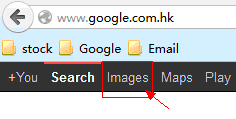
browse all images inside a site with google

3. Enter “site:www.thedomainname.com”, for example, we enter site:www.008soft.com
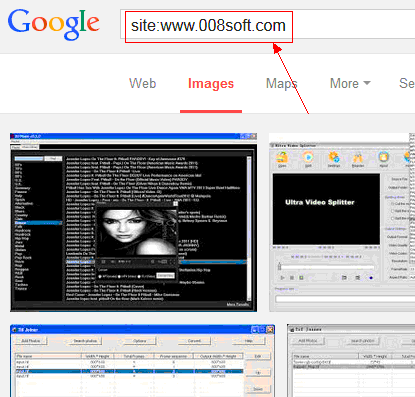
browse all images inside a site with google
Enter “site:www.008soft.com” browse all images inside 008soft site with google

Thus, you can view all the images inside a site quickly. love this method, do not forget share this article to your friends.

[review]

Check Also

Scanner Pro 7 – best iOS phone scanner software

Scanner Pro 7 – best iOS phone scanner software Scanner Pro by Readdle is excellent …

free cross-platform Markdown editor – Typora

Now a lot of software (such as Visual Studio Code, Leanote, DayOne, Simplenote, Atom, EverEdit) …

Top 10 photo editor for Windows worldwide

According to the most authoritative data from the world’s leading download site “Cnet”, We pick …