DigitByte Software for Windows, Mac, iPhone, iPad, iPod – free download
You do not have to spend money to be able to check the currency exchange rate with you iPhone device, this article will show you the the secretary in iPhone
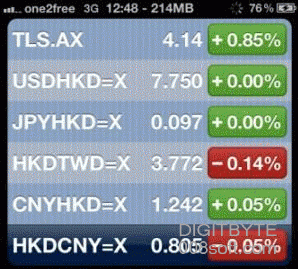
For iPhone users who often go abroad or foreign exchange transactions, maybe you have found an application in the App Store which can let you check currency conversion rates, in fact, you do not need the extra money buy related applications in the App Store, iPhone built-in “Stock market” application, with it, you can check the latest currency exchange rates for free, the following is the details:
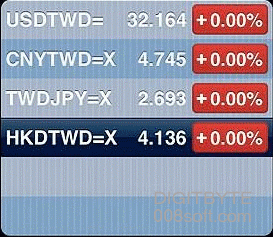
Step 1
The iPhone connected to the Internet, start the built-in “stock market” application, click on the bottom right corner of the “i” icon, and then, and then point to the upper-left corner of the icon, the new exchange rate you want to check. If you want to check the latest exchange rate of the Hong Kong dollar against the RMB “input” hkdcny = x “, behind the” = x “is equal to the number, which is fixed, as long as you understand that like the previous six letters of the alphabet, three letters (abbreviation) on behalf of the currency.
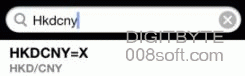
Step 2
Once entered, it will automatically search, click the project you have searched, and then point to the upper right corner of the “completed. you complete to add the new exchange rate query types, You can set up multiple currency portfolio, it will be convenient to you for rapid query later, the following lists the common currency code, If you want to check the currency more, you can go to Yahoo Finance Centre code.